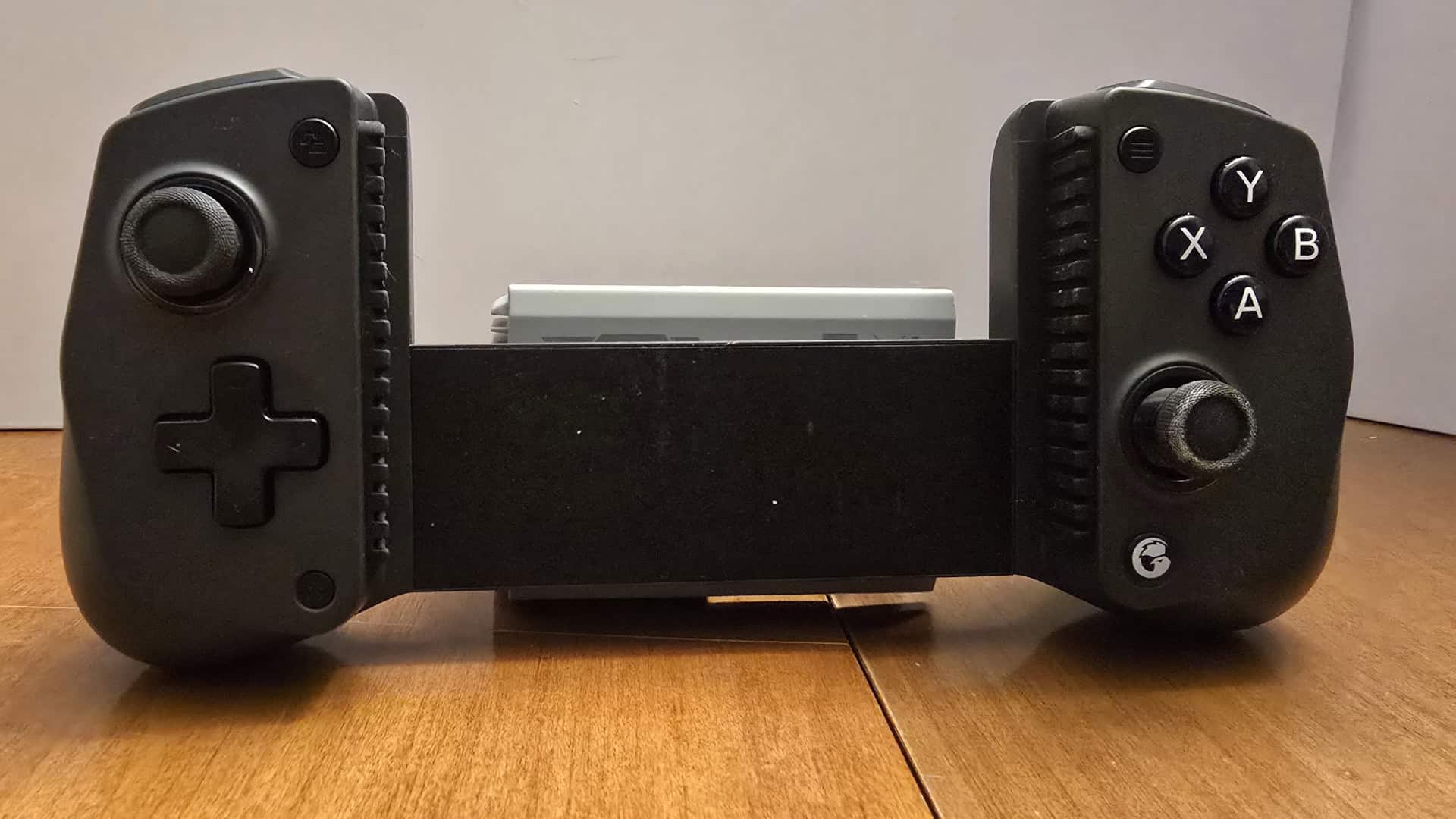
I love experimenting with technology and the design of the GameSir X5s Wireless Mobile Game Controller intrigued me. Likely the first thing you’ll notice is that it’s an unusual shape for a controller; an odd flat section, shorter and thinner than the left and right handgrips, with a span large enough for a grown man’s hand to fit comfortably between. But that span is a deliberate design decision, one of several made by GameSir to help the X5s excel in its role as a phone and tablet focused controller. That span, for example, pulls apart to almost double its length and retracts via a spring to securely but safely hold your phone, even in a case, between the two halves.
There’s a rubber grip on the inside of each handgrip both to get a better grip on your phone or tablet, and to protect that selfsame phone or tablet from the pressure of holding it tight. These grips can be removed for cleaning or replacement. The controller can be expanded to just shy of 10 and a half inches, enough to hold any phone easily and most tablets in portrait but not landscape mode. The grip strength is strong enough to hold a tablet gripped around the middle so the tablet’s weight is evenly distributed. I wouldn’t try it with most of the weight above the controller. The product I received for review also came with the GameSir FX5 Cooler.
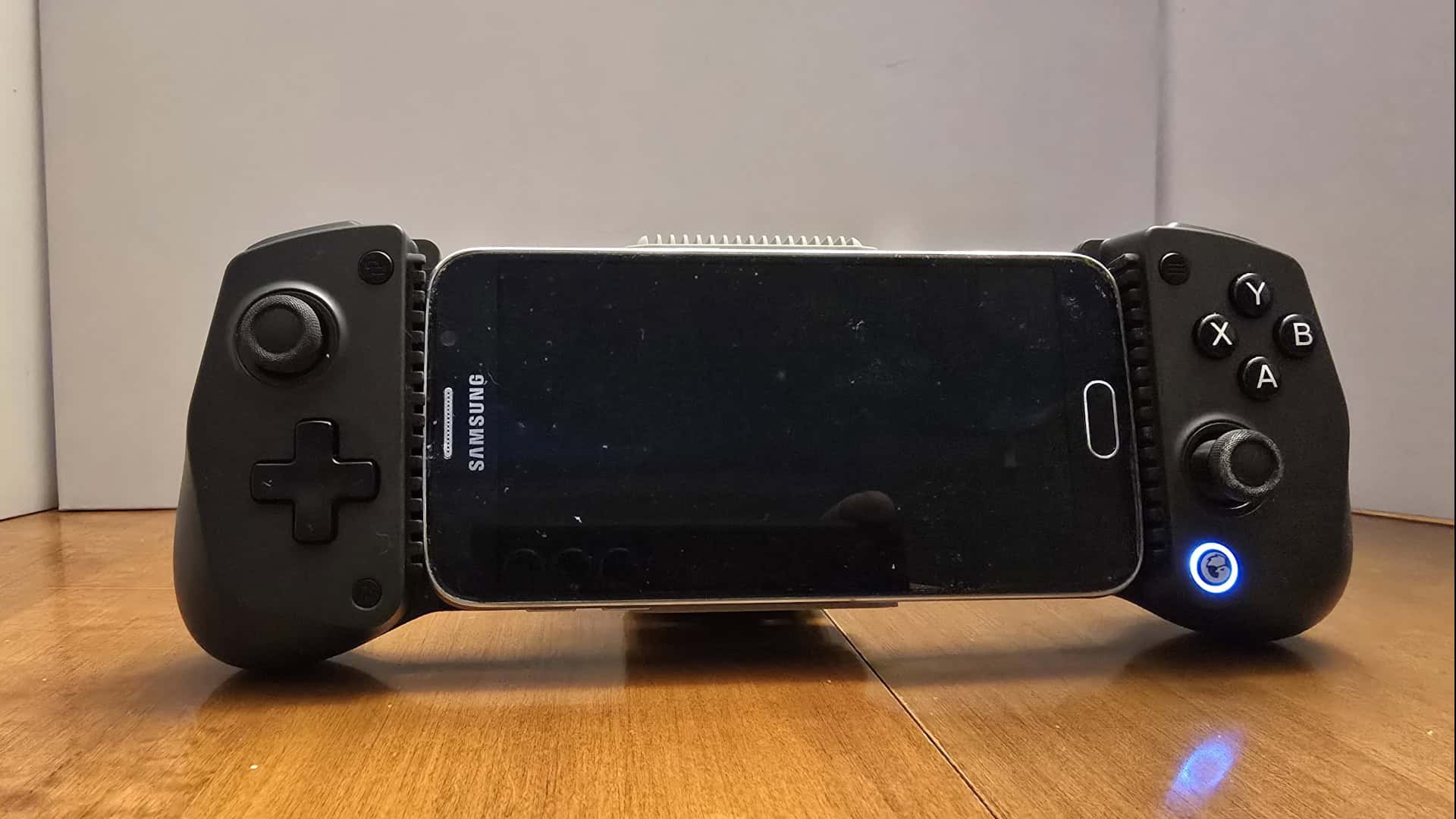
The control sticks are responsive, have an easy 360 spin, a fairly small dead zone, and a very tactile click for their buttons. The D-pad and face buttons had a good pressure response, clicky not mushy, and the shoulder buttons have a good response all along their faces. The travel for the triggers feels oddly short, not the worst in the world, but something I needed to adjust to.
The X5s synced up effortlessly via bluetooth to my phone, tablet, Switch 2, and PC. It was easy to switch between these with a dedicated button out of the way pairing button. The only function that wasn’t immediately apparent and required checking the manual to figure out was how to turn the controller off once I’d turned it on the first time, which was to hold the home button for five seconds. Though that’s not the only way for it to shut off, because the X5s has a party trick. When extending the grips to put a phone or tablet in, the X5s will turn itself on and connect to its most recently connected device, or go into pairing mode if there isn’t one. When it turns itself on this way, letting the controller retract to its resting length shuts it off automatically. For charging, a USB cable can be plugged into the bottom of the left handgrip, in a spot that won’t get in the way of your hand while gaming. There’s also a gap in the provided controller case to charge the X5s even when it’s in storage.
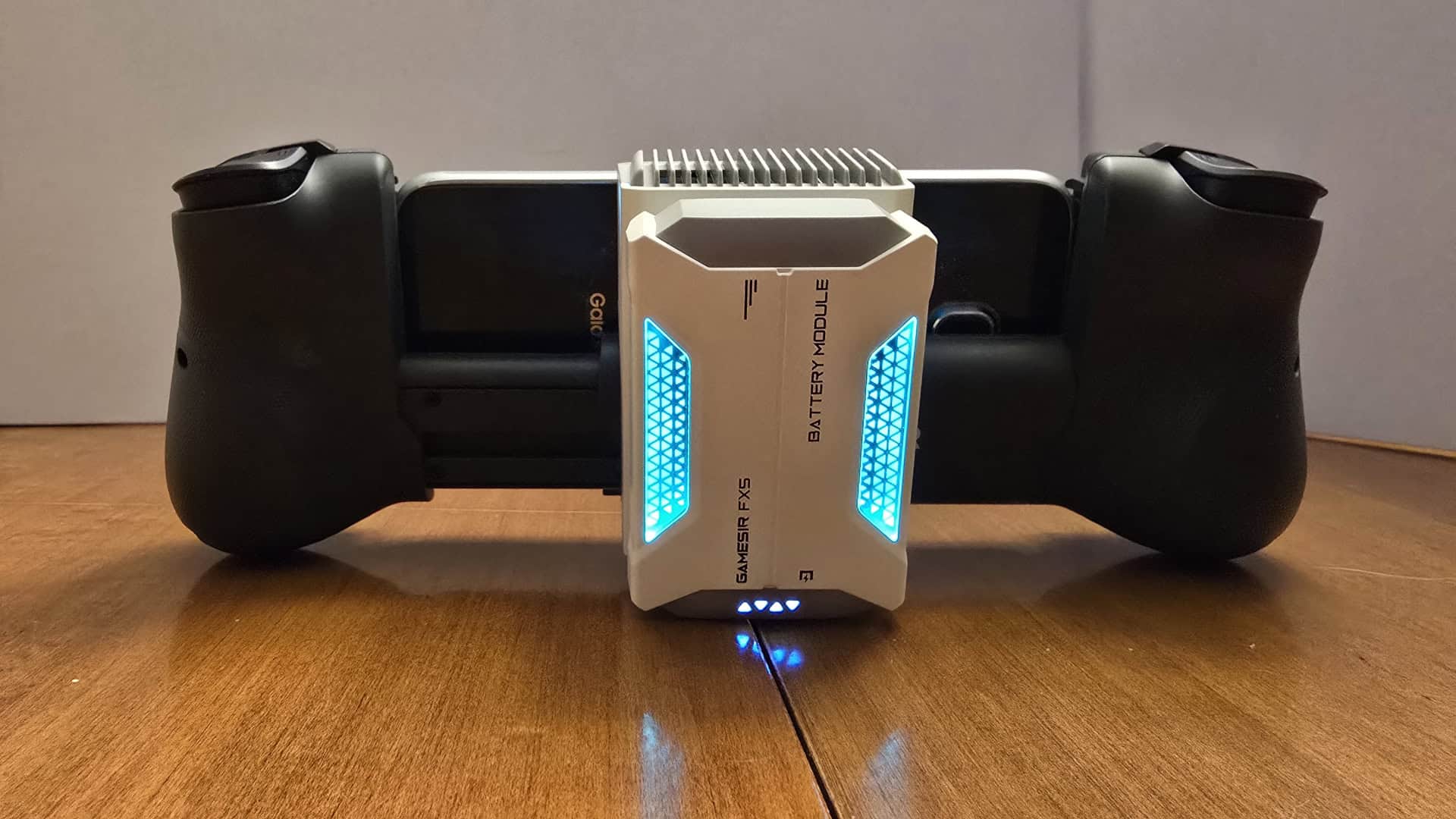
The odd shape of the controller’s midsection also allows the FX5 accessory to hang off the controller so it can get contact with and draw heat away from your phone or tablet, provided there’s no case on them at the time. The FX5 comes with its own magnetically attaching rechargeable battery pack, though it can also be powered by a USB-C cable as can the battery pack. The fan has three modes: a quieter mode, a standard cold mode, and an “overclock” mode for extremely taxing games. The fan does turn on automatically when attaching the battery pack, or if removing a power cable from the fan, even when it’s turned off, which can be useful, but it’s something to keep in mind if you charge the battery apart from the fan.
The one stumbling block for the X5s came in the GameSir App, and much of this was due to a UI problem as the app’s user interface did not minimize my phone’s system buttons, which consistently got in the way of buttons from the app, rendering them unusable. I did not have this issue on my tablet, but it is something that will affect your usage of the app as a game hub, and something GameSir should work on.
If what you want is a good wireless travel controller for your phone, tablet or laptop, that can also in a pinch add an extra controller for your desktop, Switch, or Switch 2, the X5s has you covered. It’s getting active firmware updates so it should remain compatible with everything for a good while at least. While the cooler is definitely effective, it’s probably overkill for most users, so I’d grab the X5s first and go back for the FX5 only if it turns out you really need it.
Tim reviewed the GameSir X5s Wireless Mobile Game Controller and GameSir FX5 Cooler with provided review products.
- Score
- 8/10 Excellent - Tim Recommends
- Summary
-
A lightweight travel controller that stretches to fit your phone, comes with its own travel case, and can pair with phones tablets, PCs and consoles. The X5s is pretty good bang for the buck, but the thermal cooler add-on is probably not unless you know you need one.
- More
- GameObserver's Review Policy





 ObserverCrew Picks
 bserver
 bserver